
Phone Stuck to Train AI Video Generator
Make the phone-on-train trend with your own photo. Upload one photo to create your Phone Stuck to Train AI video, with the moving train-camera view and original soundtrack.
Upload your photo
One platform. A different lead.
Three looks on the same platform run
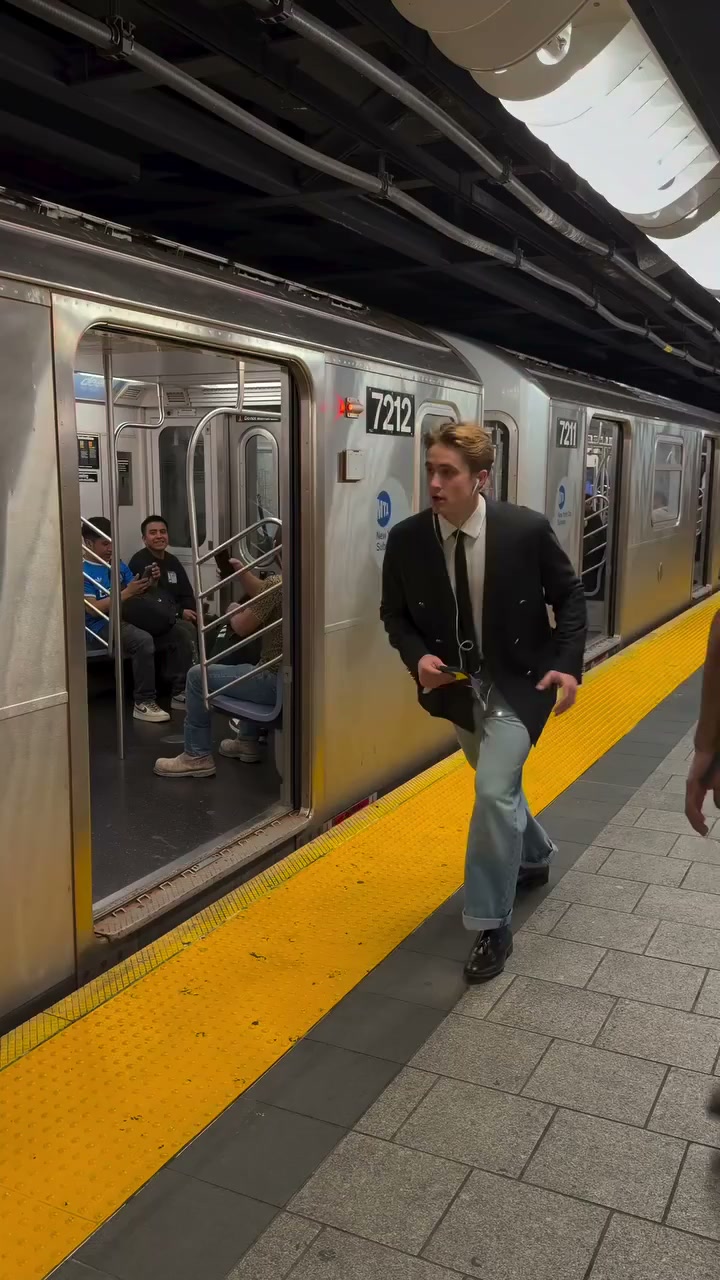
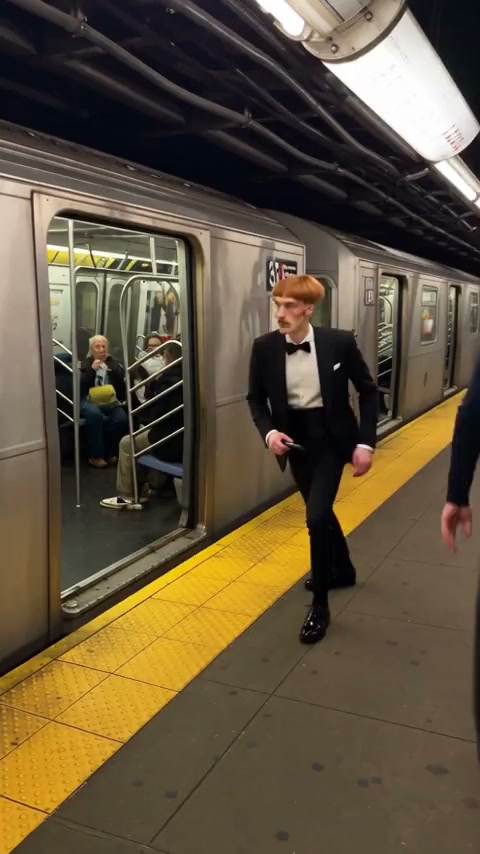
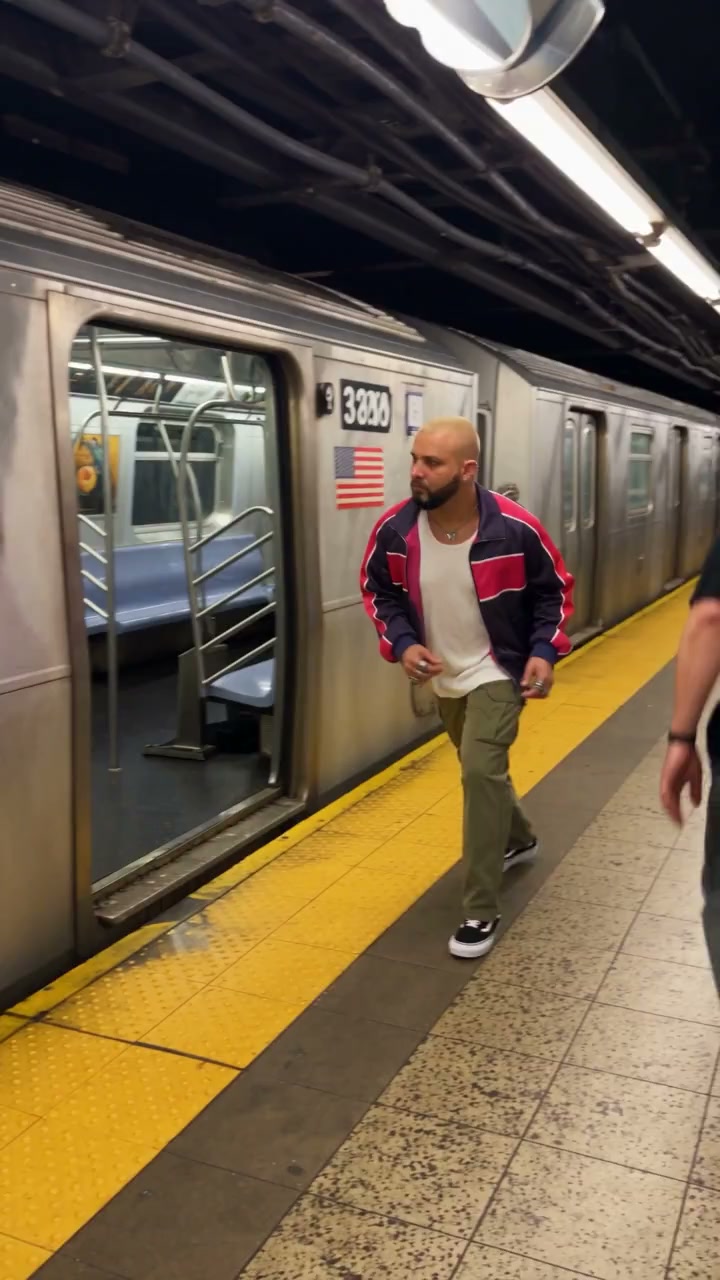
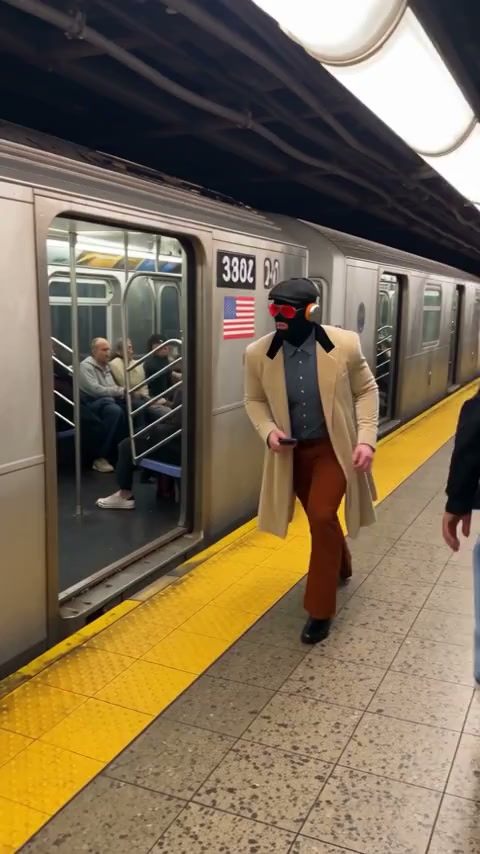
One scene, three different looks. Explore Phone Stuck to Train AI community videos in a tuxedo, sportswear, and a trench coat. The original supplies the platform run; your photo supplies the lead.
Your photo. The same platform run.
Make a Phone Stuck to Train AI video in three steps
The reference is ready. Choose your photo, add video passes to your account, and make your version of the platform run.
- 01
Upload your photo
Add one clear person in the Main character slot, then sign in with Google. Uploading a photo and watching Phone Stuck to Train AI examples do not spend a pass.
- 02
Buy videos once
Choose 1, 3, or 5 videos, or use passes already on your account. Passes do not expire. Checkout restores your photo draft and waits for you to press Generate.
- 03
Generate · 1 video
Phone Stuck to Train AI uses one pass when the job starts. Find the completed video in My creations or History, preview with sound, and download. A failed generation returns the pass.
The platform run, with your photo as the lead
Phone Stuck to Train AI puts your appearance into a prepared train-platform performance. The opening sits close to the window, then the view leaves the carriage and follows the lead along the platform. The scene finishes as they move out of the shot. Your photo supplies the person; the reference supplies the action.
The reference guides the lip movement, timing, and camera. The train, station, phone, and other people remain part of that scene. Watch the Original preview first to see the sequence your photo will be used for.
Choose a photo that brings your look into the scene
Phone Stuck to Train AI works from one clear photo of a single person. Include the face, hair, outfit, and as much of the body as possible. A full or three-quarter view provides useful detail for the legs and clothes during the run. Your photo does not need a train or station background.
Crop out extra people and choose a picture with an unobstructed face. Heavy blur, sunglasses, or a hand across the face leave less detail to use. You can replace your selected photo before pressing Generate without spending a pass.
What the finished file contains
Each Phone Stuck to Train AI result is one vertical video, about 14 seconds, at standard 480p. The original soundtrack is included. Play the completed clip with sound before downloading to check how the appearance and movement work together.
The format is fixed: there is no longer cut, horizontal frame, or higher-resolution option. If you close the tab while it is working, return to History on the same account to check the task.
What the reference can and cannot hold
Phone Stuck to Train AI follows the reference’s train-window opening, platform run, and final exit. Your photo changes the lead’s appearance within that sequence. A different city, new dialogue, extra uploaded characters, or a rewritten ending are outside this template.
Likeness can vary during fast movement. Check the face, hands, clothing, and edges around the person in your finished clip. If you want a different look, use a clearer photo and generate another video with a new pass.
Choose your look for the platform
A familiar train scene can feel different with a new lead. Use an appearance you want to see in motion, and let the reference provide the action.
Your everyday outfit
Use a photo of yourself in clothes you like. A familiar outfit makes it easier to compare your uploaded appearance with the finished Phone Stuck to Train AI run.
A dressed-up arrival
A suit, jacket, or striking silhouette changes the mood. Watch the tuxedo and trench-coat examples to see how different outfits read as the camera moves along the platform.
A character you can use
Try a character portrait you have permission to use. Choose readable features and a visible body. Intricate costumes and unusual proportions may change during movement.
Your videos, passes, and account
Know what you are buying and where to find the result before starting a generation.
One-time packs, no expiry
Choose 1, 3, or 5 videos on Phone Stuck to Train AI. The 3-video pack gives you room to try different looks; the 5-video pack has the lowest unit price. Unused passes do not expire.
A failed generation returns its pass
If generation fails, Phone Stuck to Train AI returns the pass to your balance. Completed videos include watermark-free download. For a different look, choose another photo and use a new pass.
Find the finished video in History
Your signed-in account keeps your tasks and pass balance together. Return to History after closing the tab. Download results you want to keep; permanent passes do not mean permanent file storage.
Use photos and sound with permission
Use your own photo or a portrait you have permission to upload. Before posting, check the rights that apply to the person, source footage, and soundtrack.
One payment. Your videos to make.
$9.90 for 1, $19.90 for 3, or $29.90 for 5. Passes do not expire. One generation uses 1 video. No subscription.
1 video
Make your first platform video.
$9.90once$9.90 per video
- Passes never expire
- 480p vertical video with original sound
- Watermark-free download
- Failed generation returns its pass
3 videos
RecommendedTry a few different looks.
$19.90once$6.63 per video · Save 33%
- Passes never expire
- 480p vertical video with original sound
- Watermark-free download
- Failed generation returns its pass
5 videos
More looks. The lowest price per video.
$29.90once$5.98 per video · Save 40%
- Passes never expire
- 480p vertical video with original sound
- Watermark-free download
- Failed generation returns its pass
One pass per generation. No subscription. Prices in USD; the final total appears at checkout. Refund policy · Terms
Phone Stuck to Train AI: your questions answered
Seen the train video and want to make your own? Start here for photos, prompts, sound, pricing, and downloads.
What is the video trend with a phone stuck to a train?
The Phone Stuck to Train AI trend uses a moving train-window viewpoint, then follows a person running along the station platform. This generator lets your photo guide the lead’s appearance in that prepared performance. Watch the Original preview above to check that it is the train video you want to recreate.
How can I make the train video with my own photo?
Upload one clear photo to the Main character slot, sign in, choose a video pack, and press Generate. Phone Stuck to Train AI supplies the performance reference and instructions. One generation uses one pass. You can watch the finished clip in My creations or History and download it with the original sound.
What prompt do I need for Phone Stuck to Train AI?
You do not need to write or paste a prompt here. Phone Stuck to Train AI already has instructions for the main character, platform movement, camera sequence, and timing. Your input is one person photo. There is no custom prompt field for changing the scene, adding dialogue, or directing a different ending.
Can I use a selfie, or do I need a full-body photo?
A clear selfie can supply facial detail, but a full-body or three-quarter portrait gives Phone Stuck to Train AI more information about your outfit and proportions during the run. Choose one visible person with an unobstructed face. Avoid group photos, collages, heavy blur, and very small images. A train or station background is unnecessary.
Will it change just the face, or the clothes and body too?
Your photo guides the lead’s face, hair, clothing, accessories, and body proportions. Phone Stuck to Train AI aims to carry that appearance through the existing performance. The result can reinterpret details as the person moves, so exact likeness and clothing are not guaranteed. Other passengers stay part of the reference scene.
Do I need to film myself or upload the original train video?
No filming or video upload is needed. Phone Stuck to Train AI provides the original performance reference, including the train, phone, station, and running sequence. You only upload your person photo. The tuxedo, sportswear, and trench-coat clips are examples to watch; clicking one does not change the reference used for your generation.
Will my video have the same moving camera and original music?
The reference guides the train-window opening, move onto the platform, run, and final exit. Phone Stuck to Train AI restores the original soundtrack to the generated picture, so you do not need to add it in an editor. Preview the result with sound: generated movement and facial details can vary from the original.
How long is the video, and can I download it without a watermark?
Each Phone Stuck to Train AI generation produces one vertical video of about 14 seconds at standard 480p. A paid pass includes watermark-free download. This page offers that fixed format; there are no controls for a longer clip, landscape framing, or higher resolution. Download the file from your completed result.
Is Phone Stuck to Train AI free, and is there a subscription?
You can watch the previews without buying, but generation is paid. Phone Stuck to Train AI offers $9.90 for 1 video, $19.90 for 3 videos, or $29.90 for 5 videos. These are one-time purchases with no recurring subscription. Uploading a photo alone does not use a pass, and checkout does not start generation automatically.
Do I need an account, and can I return to my video later?
Yes. Sign in with Google to buy passes and generate your Phone Stuck to Train AI video. Your tasks and balance belong to that account. If you close the tab, return to History with the same account to check the result. Download files you want to keep; permanent file storage is not promised.
Do unused video passes expire?
No. Unused Phone Stuck to Train AI passes have no expiry date, so you can make one video now and use the rest later. They remain tied to the purchasing account. If a purchase is refunded and closed, its remaining passes are removed. Account deletion also removes the account’s passes and tasks.
What happens if my video fails to generate?
A failed Phone Stuck to Train AI generation returns its pass to your balance. Check the task status and balance before starting again; a return still being processed is shown on the task. Returning a pass is separate from a cash refund. Requests about unused purchases follow the refund policy linked below.
What if the face looks wrong, or I want to try another outfit?
Try a clearer photo with a visible face and the outfit you want. Phone Stuck to Train AI can vary facial details, hands, and fabric during fast movement. Review those areas in the finished clip. Creating another video uses another pass; a completed result is not automatically refunded because you dislike its appearance.
Can I post the finished video on TikTok or Instagram?
You can download the vertical file for sharing, subject to the rights and rules that apply to your use. Make sure you have permission for the person’s image and any third-party footage or audio. Phone Stuck to Train AI includes the original soundtrack, but purchasing a video does not grant an additional license to that material.
Upload your photo and run the platform shot
Phone Stuck to Train AI starts from a single character photo. Spend one pass when you press Generate, and download the standard 480p result with the original sound restored.
Try Phone Stuck to Train AI